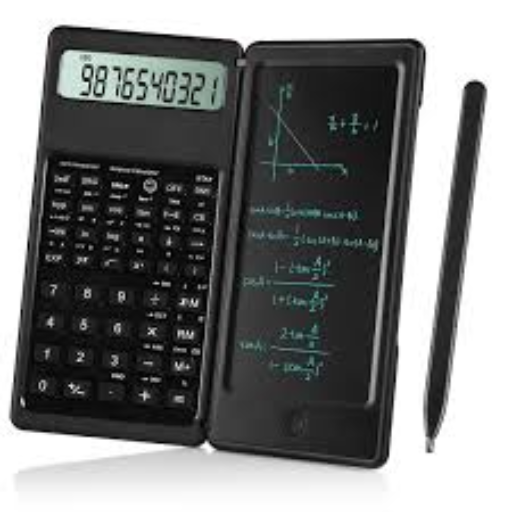
Free Online Basic Calculator (Dark Mode, History & Smart Tape)
Basic Calculator
I have lost count of how many times I’ve been in the middle of a long calculation—adding up monthly receipts or checking homework—only to accidentally hit "Clear" and lose 10 minutes of work. It is one of the most frustrating feelings in the world.
For years, I relied on standard online calculators, but they all had the same problems: they were blindingly white at night, they didn't show my history, and they forced me to re-type answers manually into Excel. As a financial analyst and developer, I knew there had to be a better way.
That is why I built this Basic Calculator. It isn't just a tool to do math; it’s a tool designed to save your sanity. Whether you are an "Anxious Verifier" who needs to check their steps, or a student working late, this tool fixes the flaws of the old giants. With a built-in History Tape, Dark Mode for eye safety, and Smart Region Formatting, this is the last calculator you will ever need to bookmark.
Quick Comparison: Why Switch?
| Feature | Standard Online Calculators | Our Smart Basic Calculator |
| Verification | None (If you clear, it's gone) | History Tape (Tracks every step) |
| Eye Comfort | Bright White (Blinding at night) | Dark Mode (Eye-protection verified) |
| Workflow | Manual Re-typing | One-Click Copy to Excel/Clipboard |
| Connectivity | Requires Internet | Works Offline (PWA App Support) |
| Formatting | US Standard Only (1,000.00) | Global Smart-Format (1.000,00) |
Core Functions & Interface
This tool covers all standard arithmetic needs while fixing the usability issues found in older calculators.
Basic Calculator Functions
At its heart, this is a robust 4-function calculator designed for speed.
- Standard Keys: Addition (
+), Subtraction (-), Multiplication (×), Division (÷). - Clear Keys:
- AC (All Clear): Resets the calculator completely.
- CE (Clear Entry): Erases only the last number you typed (useful if you make a typo).
- Backspace: Deletes digits one by one.
- Advanced Keys:
- √x (Square Root): Finds the root of the displayed number.
- % (Percentage): Quickly calculates tax or discounts.
- +/- (Sign Toggle): Switches a number between positive and negative.
Smart Features: History Tape & Verification
Designed for the "Anxious Verifier": Never lose your place again.
Unlike standard handheld calculators where your previous numbers disappear, this tool features a Digital History Tape.
- Audit Trail: The side panel creates a running list of every calculation you perform (e.g., $10 + 50 = 60$).
- Why use it? If you are adding a long list of expenses and the total looks wrong, you don't need to start over. Simply check the tape to verify if you missed a number or made a typo.
Display Settings: Decimals vs. Commas
Designed for the International User: We speak your number language.
Math is universal, but number formatting is not. We support global standards so you don't have to guess.
- US/UK Mode: Uses the standard decimal point (e.g.,
1,200.50). - Global Mode: Swaps to European/South American formatting (e.g.,
1.200,50). - South Asian Mode: Supports Lakh/Crore grouping (e.g.,
1,20,000) for logical reading in India and surrounding regions.
How to Operate the Calculator
How to Use Basic Operations
- Addition & Subtraction: Simply type your numbers and press
=or Enter.- Example: $3 + 5 = 8$
- Example: $7.3 + 12.25 - 10.75 = 8.8$
- Multiplication & Division: Use the
×and÷keys.- Example: $25 \div 2 = 12.5$
- Order of Operations (PEMDAS):This calculator follows standard mathematical rules. It performs multiplication and division before addition and subtraction.
- Example: $3 + 5 \times 2 = 13$ (Not 16).
Correcting Mistakes & Undo
- The "Undo" Workflow: Did you hit
+instead of-? You don't need to clear everything. - CE vs. AC: Use CE to clear just the current wrong number. Use AC only when you want to start a brand new problem.
Advanced & Business Math
Real-World Example: Using Memory Keys for Shopping
Many users ignore the M+, MR, and MC buttons. Here is a practical example of how they save you time when calculating a grocery budget:
- Scenario: You are buying 5 apples at $2 each, and 3 cartons of milk at $4 each.
- Step 1: Calculate apples: $5 \times 2 = 10$. Press M+ (Saves "10").
- Step 2: Calculate milk: $3 \times 4 = 12$. Press M+ (Adds "12" to memory).
- Step 3: Press MR (Memory Recall). The screen displays 22 (Your total bill).
- Step 4: Press MC to clear the memory for next time.
Percentage Operations (Tax & Discounts)
- Calculate Sales Tax:
- Equation: $Price + (Price \times TaxRate)$
- Calculator Shortcut: Type
100 + 5%to instantly see105.
- Calculate Discounts:
- Calculator Shortcut: Type
50 - 20%to instantly see40.
- Calculator Shortcut: Type
Copying Results to Clipboard & Excel
Designed for the Student & Professional: Stop re-typing your answers.
One of the biggest frustrations with online calculators is transcription errors.
- One-Click Copy: Click directly on the result screen to copy the number to your clipboard.
- Excel Ready: The copied number is formatted specifically to paste into Microsoft Excel or Google Sheets without errors.
Accessibility & Keyboard Shortcuts
Keyboard Control
For faster calculations, you can use your physical keyboard or numpad. Use this cheat sheet to work like a pro:
Power User Cheat Sheet
| Key / Button | Shortcut | What it Actually Does |
| Esc | Escape | All Clear (AC): Wipes everything clean. |
| Del | Delete | Clear Entry (CE): Wipes only the last number typed. |
| Enter | Enter | Calculate (=): Shows the result. |
| M+ | N/A | Add to Cart: Adds the current number to your memory pile. |
| MR | N/A | Check Total: Shows the sum of everything in memory. |
| MC | N/A | Reset Cart: Wipes the memory pile to zero. |
Using this Calculator Offline
Designed for Mobile Access: Use it anywhere.
You do not need an active internet connection to use this tool.
- Mobile (iOS/Android): Tap "Share" > "Add to Home Screen" to install this calculator as a standalone app.
- Desktop: This tool functions as a Progressive Web App (PWA), allowing you to launch it instantly even in Airplane mode.
Conclusion:
Math shouldn't be a memory test. After spending over a decade working with data, I have learned that the biggest source of error isn't the math itself—it's the process. It's the typo you didn't see, or the number you forgot to write down.
I designed this Basic Calculator to eliminate those "process errors." By giving you a visible History Tape and a one-click Copy feature, we’ve removed the risk of transcription mistakes. I didn't just want to build another clone of a handheld device; I wanted to build a modern workspace that respects your time and your eyes.
I hope this tool makes your daily calculations smoother and less stressful. If you find the PWA (Offline App) mode helpful, or if the Dark Mode saved your eyes during a late-night study session, I’d love for you to share it. Let's make math simple again.